Physical Address
304 North Cardinal St.
Dorchester Center, MA 02124

How to use Claude Code to build websites and apps, APIs – A Beginner to Expert Guide
Claude Code: the AI tool that turns plain English into working websites, apps, and automations
What if you could know how to use Claude Code to build websites and apps, a fully functional web app, or a custom API – simply by describing what you want in plain English?
That is exactly what Claude Code makes possible. And in 2026, it is one of the most powerful and accessible tools available to anyone who wants to create things online — regardless of their technical background.
Whether you are a complete beginner who has never written a line of code, a freelancer looking to deliver more for clients, or an entrepreneur who wants to bring digital ideas to life without hiring a developer, this guide is for you.
We will walk you through everything — from installing Claude Code for the first time, to building websites, web apps, APIs, and automated workflows. By the end, you will understand exactly what Claude Code can do and how to start using it today.
And if you want the full step-by-step playbook in one place, the Claude Code guidebook is available now — written specifically for beginners by Ifeyinwa C. Ofulue.
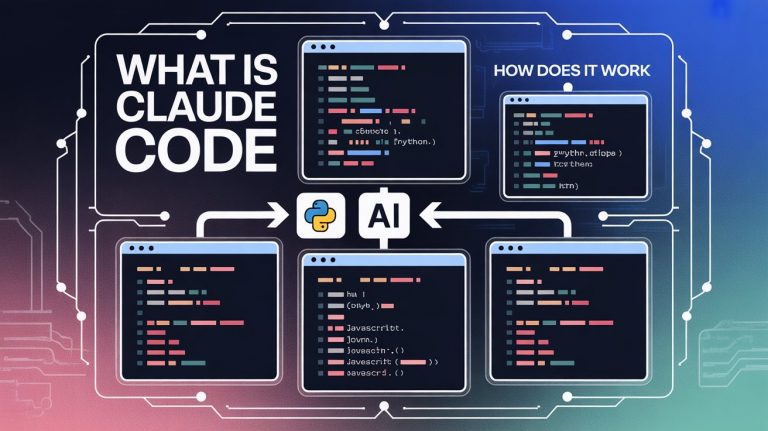
Claude Code is an AI-powered coding tool built by Anthropic, the company behind Claude. Unlike traditional AI chatbots that simply answer questions, Claude Code is an agentic tool — meaning it can plan, write, edit, test, and deploy code across multiple files and projects, all from a single prompt. You need to know how to use Claude Code to build websites and apps
Think of it as having a highly skilled developer sitting alongside you at all times. You describe what you want to build. Claude Code figures out the approach, writes the code, runs tests, fixes errors, and keeps iterating until the job is done. You stay in control, reviewing and approving each change.
What makes it especially remarkable in 2026 is the breadth of what it can build:
💡 No coding experience needed. Claude Code explains everything it does in plain language, making it an excellent learning tool as well as a productivity tool. You build and learn simultaneously.
How to use Claude Code to build websites and apps, APIs – A Beginner to Expert Guide
Claude Code can be set up and running in under 10 minutes. How to use Claude Code to build websites and apps
Getting Claude Code up and running takes less than ten minutes. Here is what you need and how to do it.
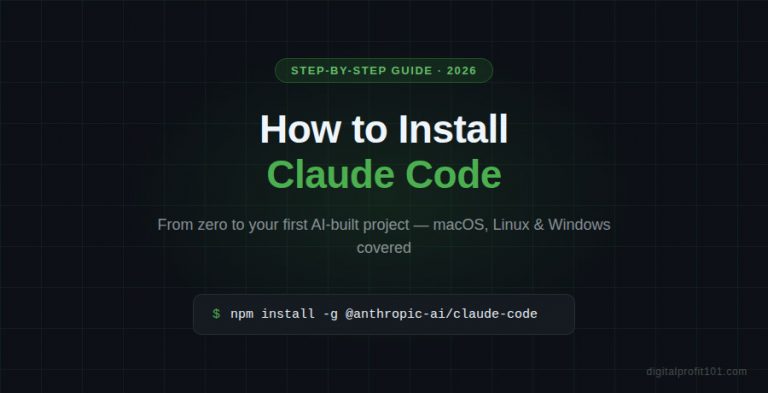
Open your terminal and run the following command to install Claude Code globally:
npm install -g @anthropic-ai/claude-code
Once installed, navigate to the folder where you want to build your project and start a Claude Code session:
cd my-project-folder
claude
Claude Code will launch and ask you to authenticate with your Anthropic account. Follow the on-screen prompts, and you are ready to go.
If the terminal feels intimidating, Claude Code is also available directly inside the Claude desktop app. Open the app, select the Code tab, choose a project folder, and start prompting-no terminal required. Claude handles everything within your chosen folder and shows you exactly what it creates.
📱 Also on mobile: Claude Code is available on the Claude iOS and Android apps, so you can kick off tasks and monitor progress from your phone.
💡 Start simple. Your first project does not need to be complex. A personal website or a simple landing page is the perfect way to get comfortable with how Claude Code thinks and works.
From a single prompt, Claude Code can generate a complete, working website. How to use Claude Code to build websites and apps, APIs.
Building a website with Claude Code is one of the most satisfying experiences for a beginner. You describe what you want, and within minutes, you are looking at a real, functional website running locally on your computer.
Once Claude Code is running in your project folder, simply type a prompt like:
Create a professional portfolio website for a freelance graphic designer. Include a homepage, an about section, a portfolio gallery, and a contact form. Use a clean dark theme with gold accents.
Claude Code will:
From there, you can iterate entirely in plain English. Want to change the colour scheme? Just say so. Want to add a new page? Describe it. Want a dark mode toggle? Ask for it. No manual code editing required.
🌐 Deployment tip: Once your site is ready, Claude Code can help you push it to GitHub and deploy it live using services like Vercel, Netlify, or Hostinger — often in just a few prompts.
Want the full website-building workflow with prompts and examples? It is all inside the Claude Code guidebook — available now.
Claude Code handles multi-file, full-stack app development from a single conversation – How to use Claude Code to build websites and apps, APIs.
Beyond static websites, Claude Code can build fully functional web applications — tools that do things, process data, respond to users, and connect to databases and external services.
This is where Claude Code becomes truly powerful. You are no longer just creating pages — you are building products.
When building an app, Claude Code thinks and plans before writing a single line. It will ask clarifying questions about your requirements, propose a structure, and then build the file by file — creating frontend components, backend logic, and database schemas together.
You can build apps in React, Python (Flask or FastAPI), Node.js, or even vanilla HTML and JavaScript. Just tell Claude Code your preference, or let it choose the best fit for your project.
💡 Use Plan Mode first. Before starting a complex app, press Shift+Tab twice to enter Plan Mode. This forces Claude Code to think through the architecture before writing any code — preventing costly mistakes later.
🛠️ Recommended stack for beginners: Ask Claude Code to build your first app using HTML, CSS, and vanilla JavaScript. No framework overhead — just clean, understandable code you can learn from.
APIs and automation workflows — How to use Claude Code to build websites and apps, APIs -Claude Code builds the backend logic, so you do not have to
An API (Application Programming Interface) is what allows different software tools to talk to each other. If you have ever connected your email marketing platform to your website or set up a Zapier workflow, you have benefited from an API.
Claude Code can build custom APIs from scratch — the kind that let your website or app send and receive data, connect to third-party services, or automate repetitive tasks at scale.
Beyond traditional APIs, Claude Code excels at building automation scripts — programs that run on a schedule or in response to a trigger and complete tasks automatically. Examples include:
⚙️ No API experience needed: Describe what you want your automation to do in plain English. Claude Code handles the technical implementation. You focus on the logic and the outcome.
Advanced users unlock Claude Code’s full potential with CLAUDE.md, hooks, and multi-agent workflows. How to use Claude Code to build websites and apps, APIs – A Beginner to Expert Guide
Once you are comfortable with the basics, Claude Code has a set of advanced features that dramatically increase your productivity and the quality of what you build.
CLAUDE.md is a markdown file you place at the root of your project that tells Claude Code exactly how your project works. Think of it as onboarding documentation for your AI developer. Run /init to generate a starter version, then customise it with:
The result is a Claude Code session that consistently follows your standards, rather than making independent choices every time.
For complex tasks, entering Plan Mode (Shift+Tab twice) forces Claude Code to analyse the problem and propose a plan before touching any files. You can review the plan, suggest changes, and only approve execution once you are happy. This prevents wasted work and keeps complex projects on track.
Advanced users can run multiple Claude Code sessions simultaneously on different parts of the same project — one working on the frontend, another on the backend, a third writing tests. This dramatically speeds up the development of larger projects.
Claude Code supports hooks — automated actions that trigger at specific points in the development process. You can set up a hook that automatically runs your test suite every time Claude edits a file, for example. Custom slash commands let you create reusable workflows that can be triggered with a single instruction.
💡 Power user shortcut: Run claude –dangerously-skip-permissions to remove the constant approval prompts once you are comfortable with how Claude Code operates. This significantly speeds up development for experienced users.
| What You Want to Build | Skill Level | Time to Launch | Claude Code Can Do It? |
| Personal / portfolio site | Beginner | Under 1 hour | ✅ Absolutely |
| Landing page / sales page | Beginner | 30–60 minutes | ✅ Yes |
| Web app with database | Intermediate | A few hours | ✅ Yes |
| REST API / backend | Intermediate | 1–3 hours | ✅ Yes |
| Automation workflow | Intermediate | 1–2 hours | ✅ Yes |
| Mobile-friendly PWA | Intermediate | A few hours | ✅ Yes |
| AI-powered application | Advanced | A day or two | ✅ Yes |
How to use Claude Code to build websites and apps, APIs – A Beginner to Expert Guide — available now at selar.com/howtouseclaudecode
This article gives you a solid foundation. The guidebook takes you all the way to mastery — with detailed walkthroughs, real project examples, prompt templates, troubleshooting guidance, and a progression from your very first website to advanced multi-agent workflows.
Written by Ifeyinwa C. Ofulue and published under the DigitalProfit101 imprint, it is designed specifically for beginners and non-technical readers who want to create real things with Claude Code — without getting lost in jargon or complexity.
Pick up your copy today: https://selar.com/howtouseclaudecode
📘 Want the Complete Claude Code Guidebook?
How to use Claude Code to build websites and apps — A Beginner to Expert Guide. Build Websites, Apps, APIs, Automations, and More. Written by Ifeyinwa C. Ofulue.
👉 Get your copy now: https://selar.com/howtouseclaudecode
📚 More free guides: https://digitalprofit101.com
The ability to create websites, apps, APIs, and automations is no longer locked behind years of technical training. Claude Code has made it accessible to anyone willing to describe what they want and take the first step.
Whether your goal is to build your own digital products, launch an online business, offer development services to clients, or simply bring a personal project to life, Claude Code is the fastest path from idea to reality available in 2026.
Two resources to start your journey right now:
📚 Free tutorials and guides: DigitalProfit101.com
📘 The complete Claude Code guidebook
The tools are ready. The only thing missing is your first prompt.
📘 Want the Complete Claude Code Guidebook?
How to use Claude Code to build websites and apps, APIs – A Beginner to Expert Guide. Build Websites, Apps, APIs, Automations, and More. Written by Ifeyinwa C. Ofulue.
No. Claude Code is designed to be usable by complete beginners. You write prompts in plain English, and Claude Code handles all the technical implementation. That said, the more you use it, the more you will naturally pick up coding concepts along the way.
Claude Code requires a Claude Pro, Max, or Team subscription, or access via the Anthropic API. A Claude Pro plan starts at $20/month and includes access to Claude Code. Given how much development time it saves, most users find that it pays for itself very quickly.
Regular Claude is a conversational AI assistant. Claude Code is an agentic tool specifically designed for software development — it can read your files, write and edit code across multiple files simultaneously, run commands, and work autonomously on complex multi-step tasks.
Yes. Claude Code can help you deploy to platforms like Vercel, Netlify, GitHub Pages, and Hostinger. It guides you through the process step by step, and in many cases, handles the deployment commands directly.
Visit DigitalProfit101.com for free guides, tutorials, and tips on using Claude Code and other AI tools to build and earn online. For the complete step-by-step guidebook, visit selar.com/howtouseclaudecode.
Ifeyinwa is a digital creator and researcher focused on AI tools, automation, UX design, and online business systems. He helps beginners learn how to create digital products, build profitable websites, and use modern AI tools to generate income online.
Through this website, I share practical tutorials, step-by-step guides, and proven strategies on topics such as AI productivity tools, website monetization, digital marketing, and automation.
My mission is simple: to make online business and digital skills accessible to anyone willing to learn.
When I’m not researching new web designs, AI tools, or writing tutorials, I focus on building scalable online systems and testing new ways to help creators earn online.
👉 Learn more about Ifeyinwa on the About page.