Physical Address
304 North Cardinal St.
Dorchester Center, MA 02124



Write and sell books with Claude AI step-by-step guide. Turn your knowledge into a published, income-generating book — using Claude AI
You do not need to be a professional writer to publish and sell a book in 2026.
You do not need a literary agent, a publishing deal, or years of experience. What you need is an idea, a strategy, and the right AI tool – and Claude AI is the most powerful writing partner available to beginners today.
Thousands of independent authors are already using Claude to research topics, build outlines, draft chapters, edit manuscripts, and write book descriptions – cutting the time from idea to published book from months to days. And they are selling those books on Amazon KDP, Selar, Gumroad, and their own websites, earning passive income that compounds with every new title.
This guide walks you through the entire process, step by step – from choosing a profitable niche to getting your first sale. No fluff. No theory. Just a practical roadmap you can follow today.
And if you want the full Claude AI playbook, the Claude guidebook covers everything from writing to automation – pick it up at selar.com/howtouseclaudecode.
$18B+ – Projected global ebook market size in 2026 (Statista)
70% – Royalty rate on ebooks priced $2.99–$9.99 on Amazon KDP
2.6M – New self-published titles added to Amazon KDP every year
The self-publishing industry has never been more accessible – or more competitive. The difference between books that earn and books that gather digital dust comes down to three things: a targeted niche, genuinely useful content, and consistent promotion.
Claude AI addresses the first two directly. It helps you research profitable topics, structure compelling content, write in a clear and engaging voice, and edit your work to a professional standard. It is not a magic button that produces bestsellers – it is a powerful collaborator that multiplies your effort and dramatically shortens the distance between your idea and a published book.
Whether you are writing a how-to guide, a self-help book, a beginner’s manual, or a niche reference, Claude can help you create it. Explore more strategies at DigitalProfit101.com.
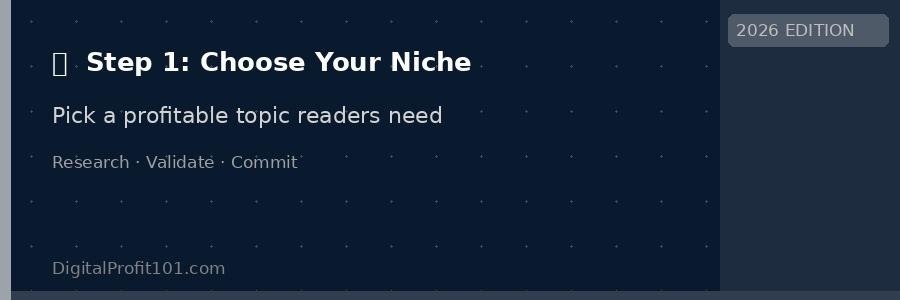
Your niche determines your sales ceiling – research before you write a single word
The biggest mistake first-time authors make is writing a book about something they love without checking whether anyone is searching for it. Passion matters – but profitable passion matters more.
A good book topic sits at the intersection of three things: what you know or can research deeply, what readers are actively searching for, and what existing books have not fully addressed.
📝 PROMPT: Niche Research
I want to write a beginner’s guide about [YOUR TOPIC]. Search for common questions, problems, and pain points people have about this subject. Identify 5 specific angles I could take that are not well covered by existing books. For each angle, suggest a working book title.
💡 Specificity sells. A book titled ‘How to Start Freelancing as a Graphic Designer in 30 Days’ will outsell ‘How to Make Money Online’ every time. The more specific your promise, the more confident buyers feel.
A solid outline is the skeleton that holds your book together — Claude builds it in minutes
Before Claude writes a single sentence, you need a clear structure. A well-built outline is the difference between a book that flows logically from chapter to chapter and one that feels random and incomplete.
Claude excels at building outlines. Give it your topic, your target reader, and the core transformation your book delivers – and it will generate a detailed chapter structure that you can refine and approve before any writing begins.
📝 PROMPT: Generate Your Outline
I am writing a [NUMBER]-chapter book for [TARGET READER] about [TOPIC]. The book’s core promise is: [ONE SENTENCE SUMMARY OF TRANSFORMATION]. Create a detailed chapter-by-chapter outline. For each chapter, include: a title, a one-paragraph summary, and 3-5 sub-section headings. Make the structure logical, progressive, and reader-friendly.
💡 Approve before you write. Spend 30 minutes reviewing and adjusting Claude’s outline before writing any chapters. Changing the structure mid-book is frustrating and wastes time. Get the skeleton right first.
📌 Real example: Ifeyinwa C. Ofulue used a structured outline approach when creating the Claude Code guidebook, mapping every chapter and sub-section before writing a word. The result is a book that reads like a clear, progressive learning journey rather than a collection of disconnected tips. Get your copy at
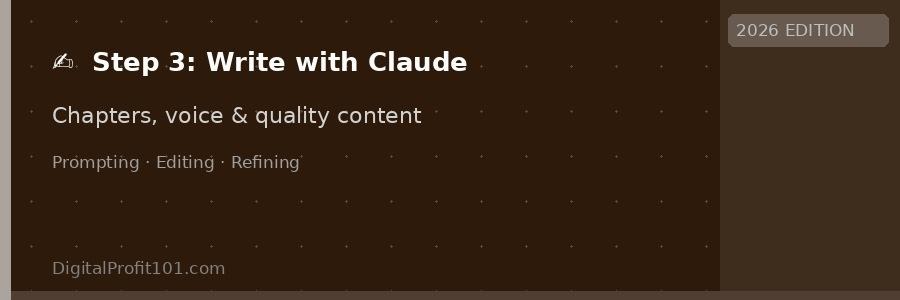
Claude AI writes chapters in your voice — you direct, review, and refine
This is the step most people fear – and the one Claude AI makes dramatically less intimidating. You do not sit down to write a whole book. You write one chapter at a time, one section at a time, using Claude as your co-writer.
The key is to give Claude enough context before asking it to write. A vague prompt produces vague content. A detailed, structured prompt produces content that is genuinely useful, well-paced, and close to your intended voice from the first draft.
📝 PROMPT: Write a Chapter Section
You are helping me write Chapter [NUMBER]: “[CHAPTER TITLE]” of my book “[BOOK TITLE]” for [TARGET READER]. The chapter covers: [BRIEF SUMMARY]. Write the section titled “[SECTION HEADING]”. Tone: [conversational/authoritative/warm/practical]. Length: approximately [400-600] words. Include: a concrete example, one actionable tip, and end with a sentence that leads into the next section.
Claude is excellent at adapting to a writing style once it has seen examples. Before writing your first chapter, paste two or three paragraphs that represent how you naturally write or speak – a blog post, an email, even a detailed social media caption. Tell Claude to match that tone throughout the book. The result will feel far more personal and authentic than generic AI prose.
📝 PROMPT: Teach Claude Your Voice
Here are three examples of how I naturally write: [PASTE YOUR WRITING EXAMPLES] For this entire book project, write in a style that matches this tone — [describe: e.g. direct, warm, practical, conversational, no jargon]. Remind yourself of this instruction before writing each section.
💡 Write in sessions, not marathons. Set a daily writing goal of one section per day rather than trying to write entire chapters. Consistency beats intensity – and Claude makes daily writing sessions fast enough that 30 minutes a day can produce a complete book in under three weeks.
A first draft is never a finished book – even with AI assistance. The editing stage is where your book goes from ‘readable’ to ‘remarkable’, and Claude is just as useful here as it is in the writing stage.
📝 PROMPT: Edit a Chapter
Review the following chapter from my book and provide: 1. A summary of what works well 2. Three specific sections that need improvement and why 3. Any repeated ideas that could be condensed 4. Suggestions for a stronger opening and closing [PASTE CHAPTER TEXT]
Once the content is polished, you need to format your book for the platform where it will be sold. For Amazon KDP eBooks, this means a clean Word document or EPUB file. For print books, you need precise margin and font settings. Tools like Atticus, Vellum (Mac), or Reedsy’s free formatter handle this elegantly – and Claude can guide you through any formatting questions step by step.
🛠️ Formatting tools: Atticus (best all-in-one), Reedsy Book Editor (free, web-based), Vellum (Mac, premium), Microsoft Word (manual but flexible), Google Docs with KDP formatting template
Readers judge books by their covers — a professional design is a non-negotiable investment
It is a cliché because it is true: readers absolutely judge books by their covers. A professionally designed cover communicates that the content inside is worth paying for. A homemade-looking cover signals the opposite, regardless of how good the writing is.
The good news is that AI design tools have made professional-quality covers accessible to complete beginners – and at a fraction of what a designer would charge.
📝 PROMPT: Cover Design Brief for a Designer or AI Tool
Design a book cover for: “[BOOK TITLE]: [SUBTITLE]” Genre: [e.g. beginner’s guide/self-help / how-to] Target reader: [describe your audience] Tone/mood: [e.g. professional, warm, bold, minimalist] Colour palette: [e.g. navy and gold / black and orange] Key visual element: [suggest an icon, image, or symbol that represents the book’s core theme]
💡 Check at thumbnail size. Before finalising your cover, shrink it to the size it appears in Amazon search results (roughly 150px wide). If the title is not readable at that size, change the font size or simplify the layout. Most buying decisions happen at thumbnail size.
Multiple selling platforms means multiple income streams from the same book
Publishing your book is now easier than at any point in history. You do not need a publisher, a distributor, or a literary agent. You upload your formatted manuscript, set your price, and your book is available to readers around the world within 24–72 hours.
The smartest strategy in 2026 is to sell on multiple platforms simultaneously – maximising reach while keeping your direct-sales channels (where you earn the most) front and centre.
| Platform | Best For | Your Cut | Audience Size |
| Amazon KDP | Maximum global reach | 35%–70% | Massive (300M+) |
| Selar | African & global creators | Up to 97% | Growing fast |
| Gumroad | Direct sales, creators | Up to 93% | Creator-focused |
| Payhip | Simple direct selling | Up to 97% | Global |
| Kobo Writing | International readers | Up to 70% | 190+ countries |
| Your own site | Full control + branding | ~97% | Your audience |
Selar is purpose-built for digital creators who want to sell eBooks and digital products directly to their audience with minimal fees and full control. It supports multiple payment methods, including local African payment options, making it ideal for Nigerian, Ghanaian, Kenyan, and other African creators who want to reach buyers without the friction of international payment platforms.
Set up your Selar store in minutes and list your book with your own pricing. You can see how this works in practice at selar.com/howtouseclaudecode – Ifeyinwa C. Ofulue’s own Claude guidebook, listed and selling directly on Selar.
💡 Sell on Selar and KDP simultaneously: There is no rule that says you must choose one platform. Many successful indie authors sell on Amazon for global reach while using Selar, Gumroad, or Payhip for direct sales at higher margins. Stack your channels.

The best book in the world earns nothing if nobody knows it exists — marketing is non-negotiable
Publishing is the beginning of your book’s life, not the end of the work. The authors earning meaningful passive income from self-publishing are not the ones who published and waited — they are the ones who actively promoted their books in the first 60–90 days and built systems that keep driving sales afterwards.
The good news is that Claude can help with your marketing just as much as with your writing.
📝 PROMPT: Write Your Amazon Book Description
Write a compelling Amazon book description for my book: “[TITLE]: [SUBTITLE]” Target reader: [describe in detail] Core promise: [what does the reader gain?] Key chapters or topics: [list 4-5] Tone: [professional/warm/urgent] Format it with a bold hook opening, bullet points for the key benefits, and a strong call to action. Use Amazon-compatible HTML formatting.
A single book is a starting point, not a destination. Authors who earn $1,000–$5,000+ per month from self-publishing typically have a catalogue of 5–15 related titles in a focused niche. Each new book cross-promotes the others, your author brand compounds, and your Amazon rankings build over time.
With Claude AI, writing a new book every 4–8 weeks is realistic for a part-time author. The first book teaches you the system. Each subsequent book gets faster, better, and more profitable.
$150–$300 – Average monthly earnings from a single well-positioned nonfiction title
$1,000–$5,000+ – Monthly income for authors with 5–15 titles in a focused niche
70% – Royalty rate on Amazon KDP for ebooks priced $2.99–$9.99
How to Use Claude Code to Create Anything — the full playbook at selar.com/howtouseclaudecode
Writing and selling books is just one of the many things Claude AI can help you build. The complete Claude guidebook – How to Use Claude Code to Create Anything — covers websites, apps, APIs, automations, digital products, and more, in a single beginner-friendly resource.
Written by Ifeyinwa C. Ofulue and published through DigitalProfit101, it is the practical playbook that takes you from your first prompt to a fully operational digital income business.
Get your copy today: https://selar.com/howtouseclaudecode
More free resources: https://digitalprofit101.com
📘 Ready to Go Deeper? Get the Complete Claude Guidebook
How to Use Claude Code to Create Anything — A Beginner to Expert Guide. Build Websites, Apps, APIs, Automations and More. By Ifeyinwa C. Ofulue.
👉 Grab your copy: https://selar.com/howtouseclaudecode
📚 Free guides: https://digitalprofit101.com
The most common reason people never write the book they have been meaning to write is not a lack of ideas, time, or ability. It is the paralysis of not knowing where to start.
Claude AI removes that paralysis. It turns ‘I should write a book someday’ into ‘I published a book this month.’ The tools are ready, the platforms are waiting, and the market for well-positioned nonfiction has never been stronger.
Start with Step 1 today. Pick your niche, run the research prompt, and see what Claude tells you. That single step sets everything else in motion.
Your two resources for the journey:
📚 Free guides and strategies: DigitalProfit101.com
📘 The complete Claude guidebook: selar.com/howtouseclaudecode
Your readers are waiting. Your book is possible. Start writing today.
📘 Ready to Go Deeper? Get the Complete Claude Guidebook
How to Use Claude Code to Create Anything – A Beginner to Expert Guide. Build Websites, Apps, APIs, Automations and More. By Ifeyinwa C. Ofulue.
👉 Grab your copy: https://selar.com/howtouseclaudecode
📚 Free guides: https://digitalprofit101.com
Yes. Using AI as a writing tool is legal and widely practised. You are the author – Claude is the instrument. The same way a ghostwriter helps a business person produce a book, Claude helps you produce content more efficiently. Always ensure the content is accurate, original in its structure and ideas, and properly edited before publishing.
A focused nonfiction book of 15,000–25,000 words (a common length for how-to guides and beginner manuals) can be drafted in 5–10 days with Claude AI if you dedicate 1–2 hours daily. A longer book of 40,000–60,000 words typically takes 3–6 weeks. Editing, formatting, and cover design add another 1–2 weeks.
Claude’s free tier gives you access to the core writing features. However, a Claude Pro subscription (starting at $20/month) removes usage limits and gives you access to more powerful models – highly recommended if you plan to write multiple books, as you will be sending many long prompts and reviewing extended outputs.
First-time authors with a single well-positioned title typically earn $50–$300 per month. Authors who build a catalogue of 5 or more related titles in a focused niche regularly earn $1,000–$5,000+ per month. Income compounds significantly with each new title, a growing email list, and consistent marketing.
Both. Amazon KDP gives you access to the largest global book-buying audience, but your royalties are lower, and you have limited direct contact with buyers. Selar gives you higher margins, direct customer relationships, and payment options that work better for African markets. Running both simultaneously is the smartest strategy.
Absolutely. Claude AI is specifically designed to support non-writers and first-time authors. You provide the ideas, the direction, and the editorial judgement. Claude handles the heavy lifting of drafting and structuring. Many of the most successful self-published authors in 2026 had never written a book before their first title.
Ifeyinwa C. Ofulue is a writer, web developer, UX designer, digital product creator, and researcher focused on AI tools, automation, UX design, and online business systems. He is the author of How to Use Claude Code to Create Anything and several other digital guides on online income, AI tools, and building profitable digital products. He helps beginners learn how to create digital products, build profitable websites, and use modern AI tools to generate income online. Find his work at digitalprofit101.com.
Through this website, I share practical tutorials, step-by-step guides, and proven strategies on topics such as AI productivity tools, website monetization, digital marketing, and automation.
My mission is simple: to make online business and digital skills accessible to anyone willing to learn.
When I’m not researching new web designs, AI tools, or writing tutorials, I focus on building scalable online systems and testing new ways to help creators earn online.
👉 Learn more about Ifeyinwa on the About page.